Context
Introduction
Website Highlights
Feedback & Changes
Back to Top

01 | CONTEXT

Enhancing Usability and Efficiency Department's Website
The General Engineering Department's website, used by both TAs and students, has become outdated after four years of use. It fulfills the minimum requirements but lacks modern design and usability features. This year, the decision was made to completely redesign the website, involving both front-end and back-end updates. The web development committee, consisting of four members, had previously only updated codes and addressed problems as they arose. The primary function of the website is to display and update database information, catering to over 200 TAs with pages dedicated to grading, submissions, 3D printing, work reports, and more. The redesign needed to consider the current database layout, ensuring no loss of existing information while enhancing usability and navigability.

Organization & Efficiency

The website's structure must support smooth operation and quick access to critical information, enhancing overall productivity.

User Considerations

The design process involved gathering feedback from both students and TAs to ensure their needs and preferences are met.

Prioritization

Focusing on the most critical features first, such as displaying and updating information, to improve the site's core functionality.

02 | INTRODUCTION

I was tasked with designing the new website for the General Engineering Department, focusing on both UI/UX and the technical aspects of front-end and back-end development. General Engineering is the first class freshmen take at NYU Tandon, meaning the site is used by almost 7000+ users within a year actively, as it is their introduction to engineering as a whole. While I will not be able to implement the design myself due to my upcoming graduation, I tried to present a comprehensive guide for the new committee.
Designing a functional and user-friendly website that meets both TA and student needs.
The goal is to create a website that is both aesthetically pleasing and highly functional, ensuring seamless access to necessary information for both TAs and students. This redesign aims to address the limitations of the current site while preserving the existing data and improving overall usability. By taking into account the current database structure and user needs, the new design will facilitate better communication and efficiency within the department.

03| WEBSITE HIGHLIGHTS

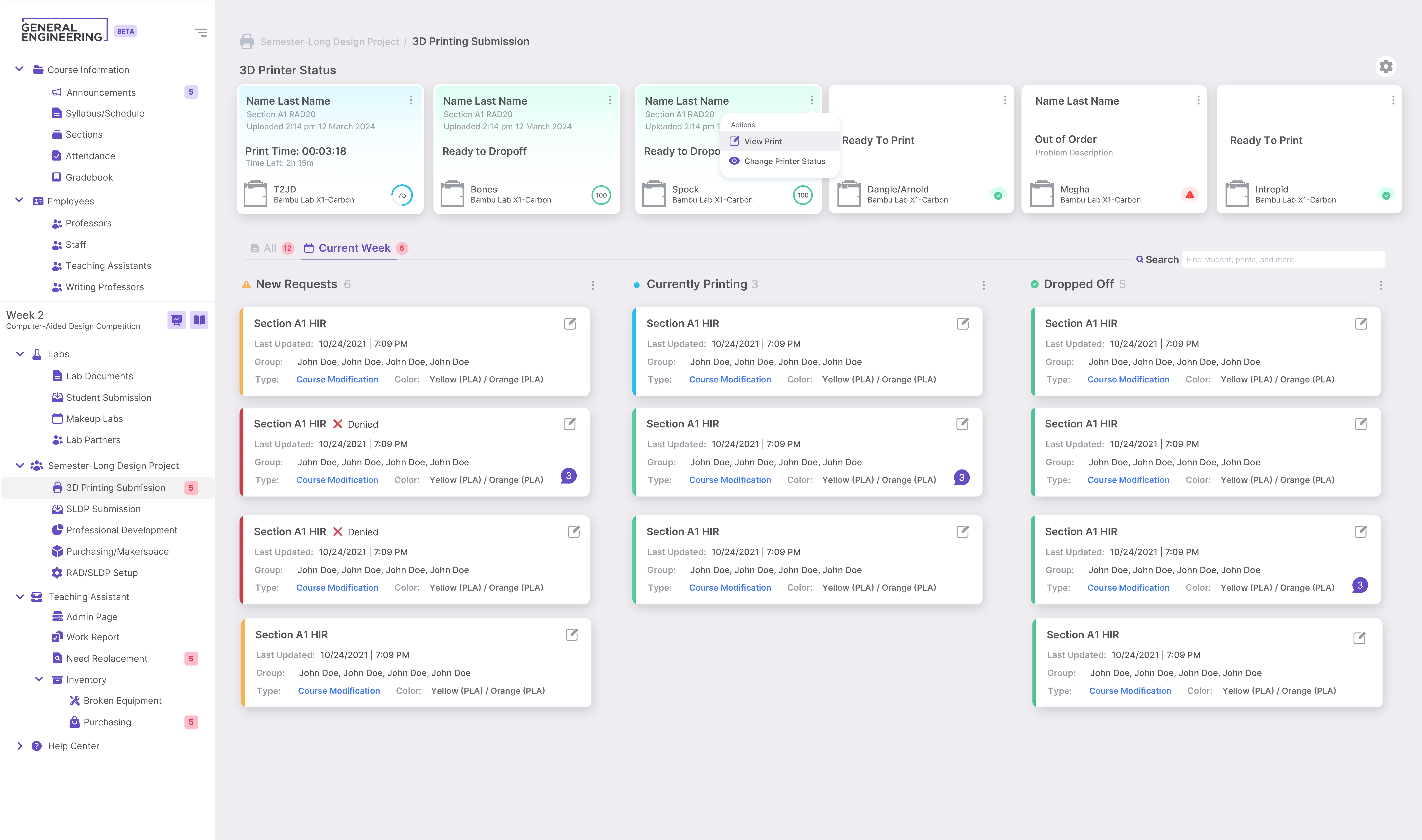
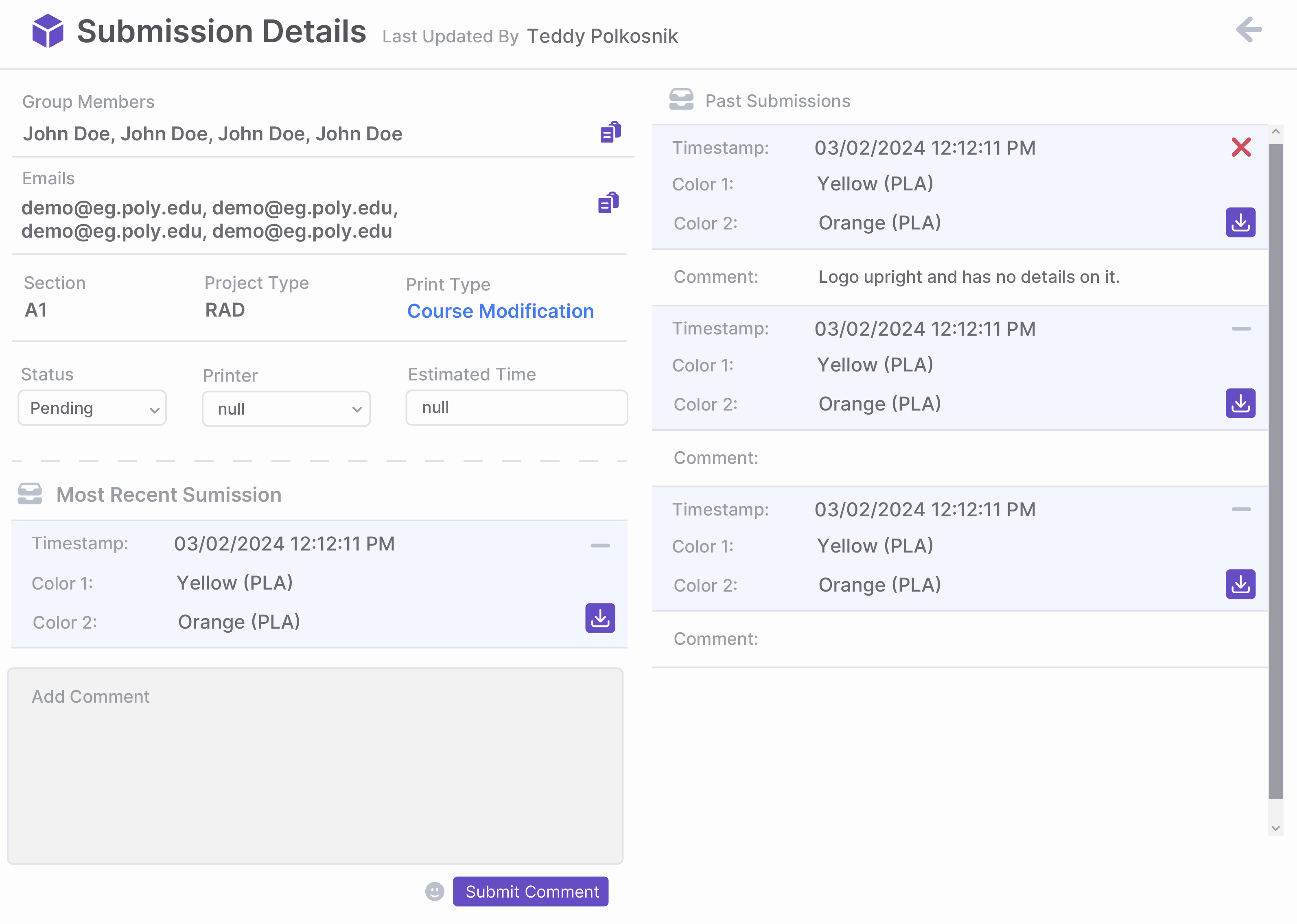
3D Printing Submission
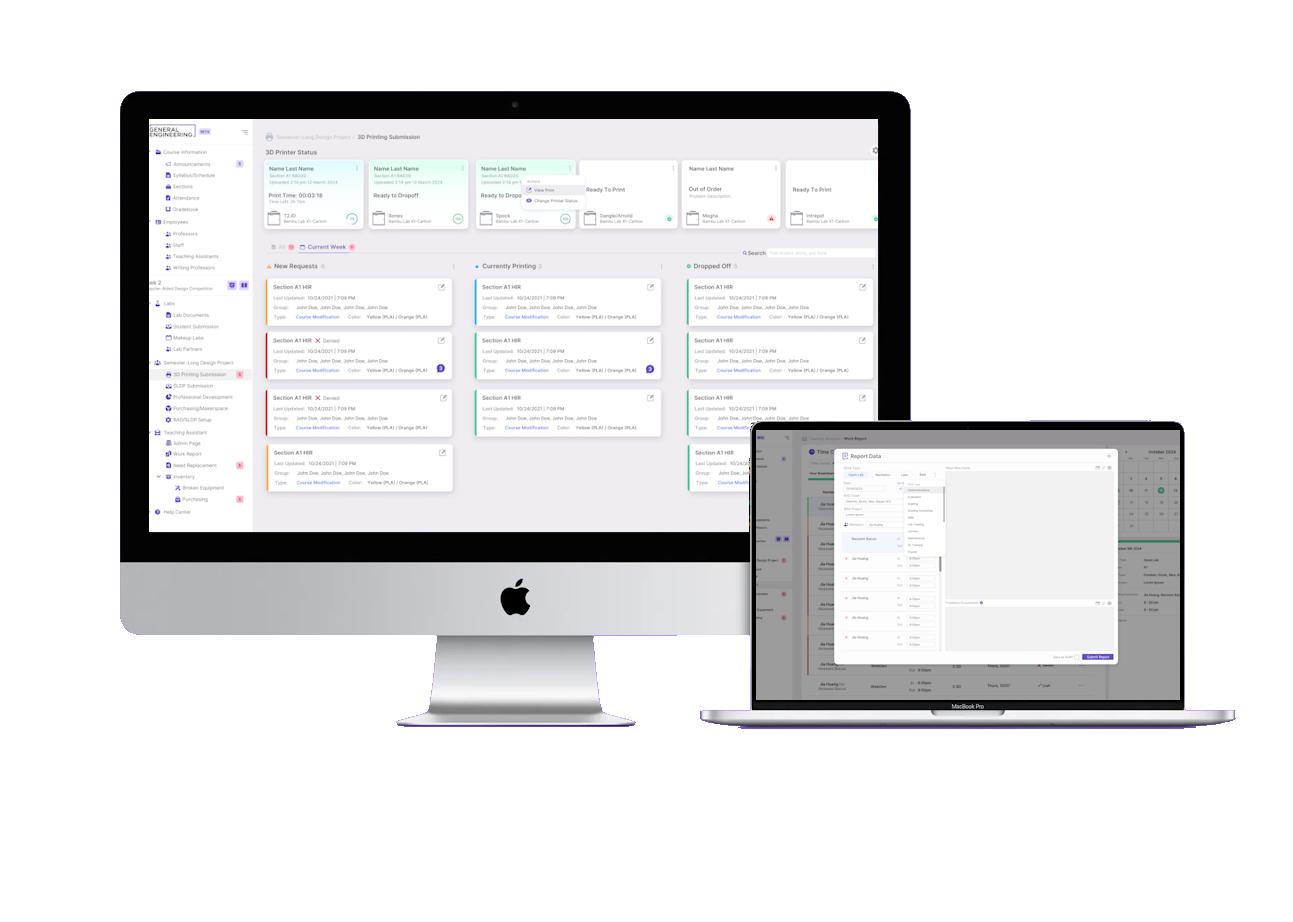
Currently, 3D printing submissions by students are tracked manually on a whiteboard, leading to confusion among TAs due to information overload. My design offers a clear status display for each submission, reducing confusion and improving organization.
The idea I had in mind for printer status was to have a program actively running to update the status of the printers by using JavaScript to fetch metrics using Prometheus's API, which collects data from the Bambu X1 printers, and dynamically update the HTML content based on these metrics.
Hover image to reveal report details
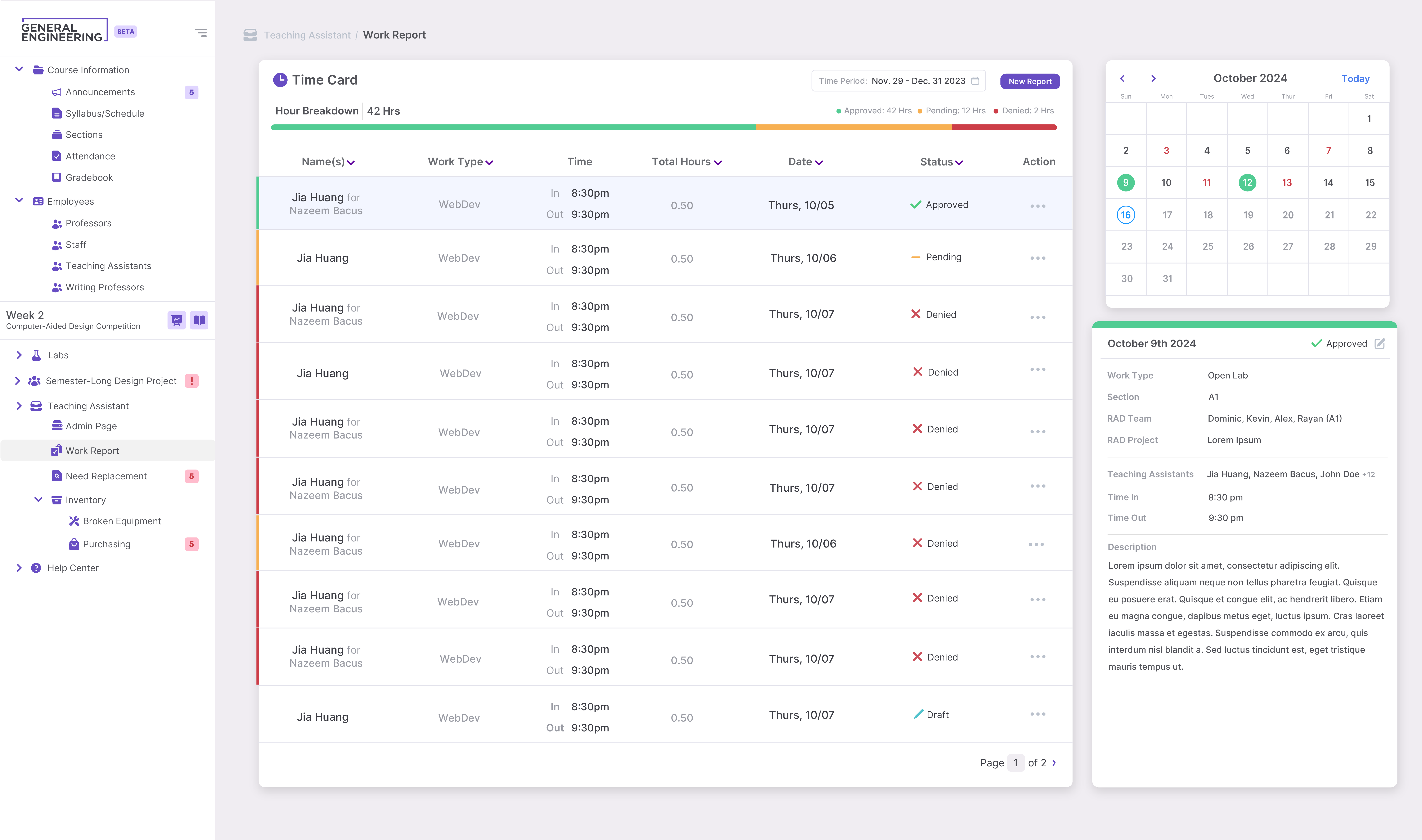
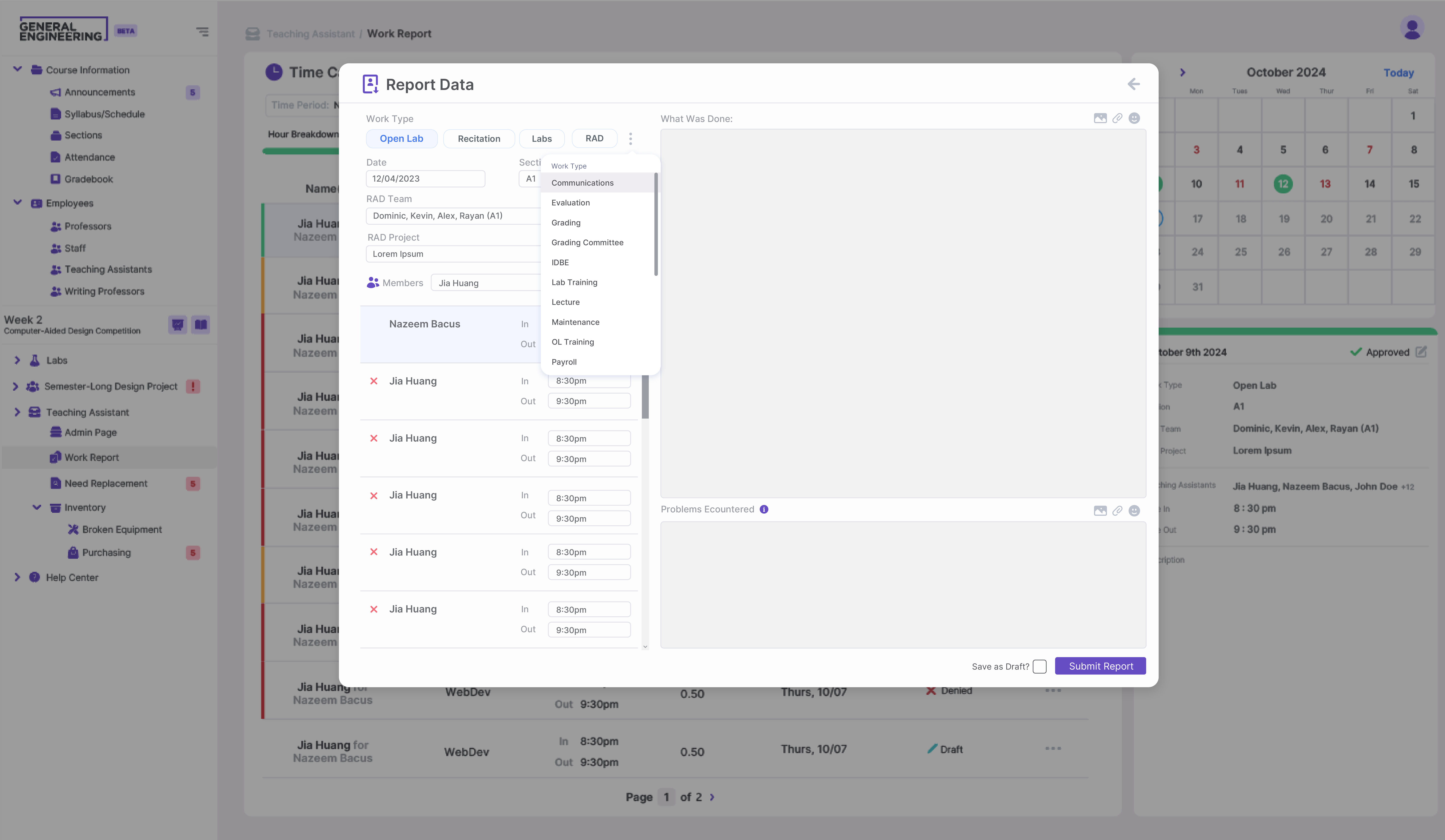
TA Work Reports
Work hours are managed on the website and approved by Head TAs, but a significant issue is the need to navigate multiple pages to access basic information, leading to confusion. I addressed this by implementing quality-of-life improvements and minor tweaks to enhance information display and readability.
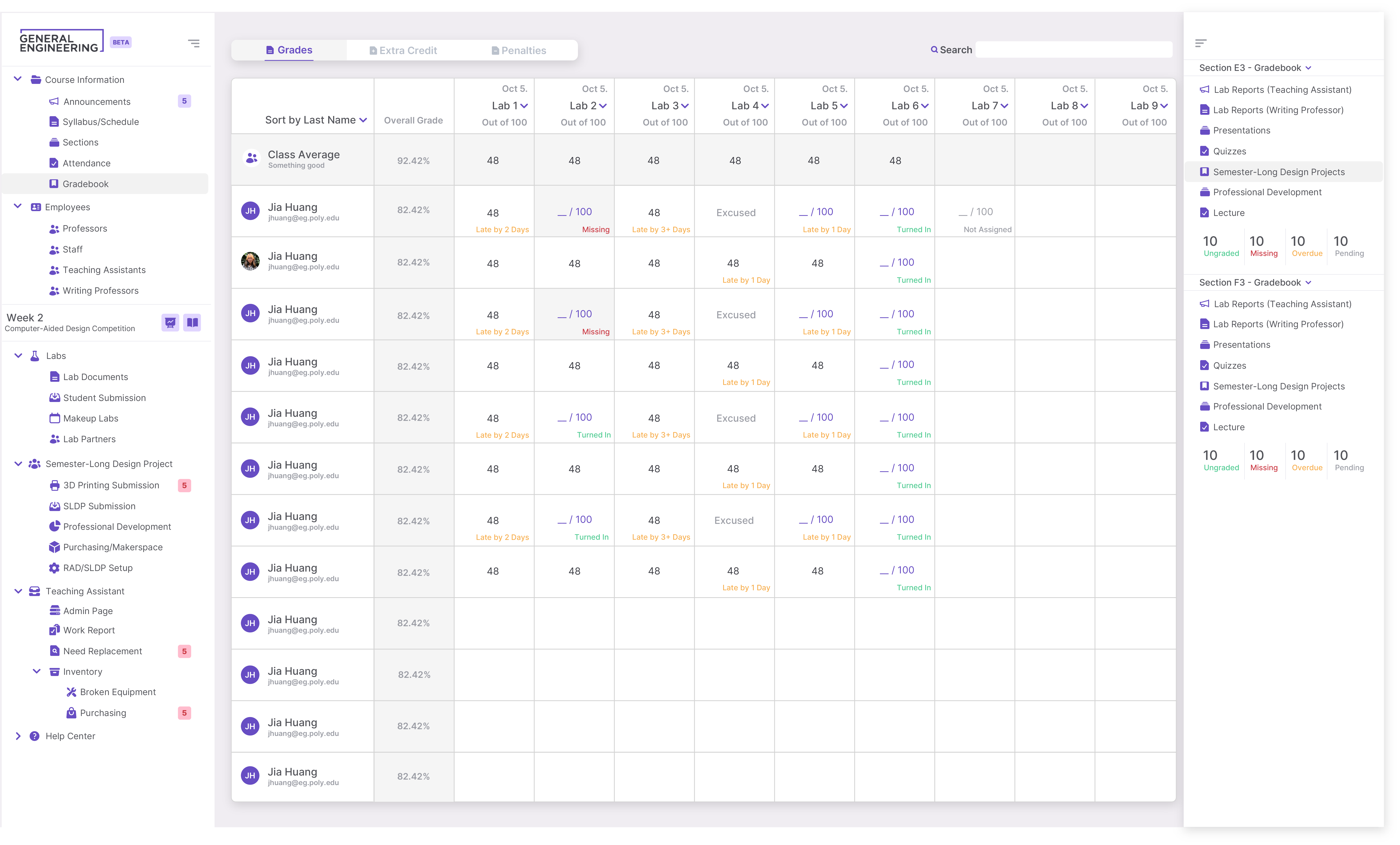
Gradebook
This page is to be used by professors and recitation TAs; however, one concern with the previous website was the lack of organization, presenting all categories at once and causing information overload. My solution addresses these issues by implementing features like auto-populated grade entry, section-based report uploads, and centralized notifications for late and makeup lab reports.
Hover image to reveal report details
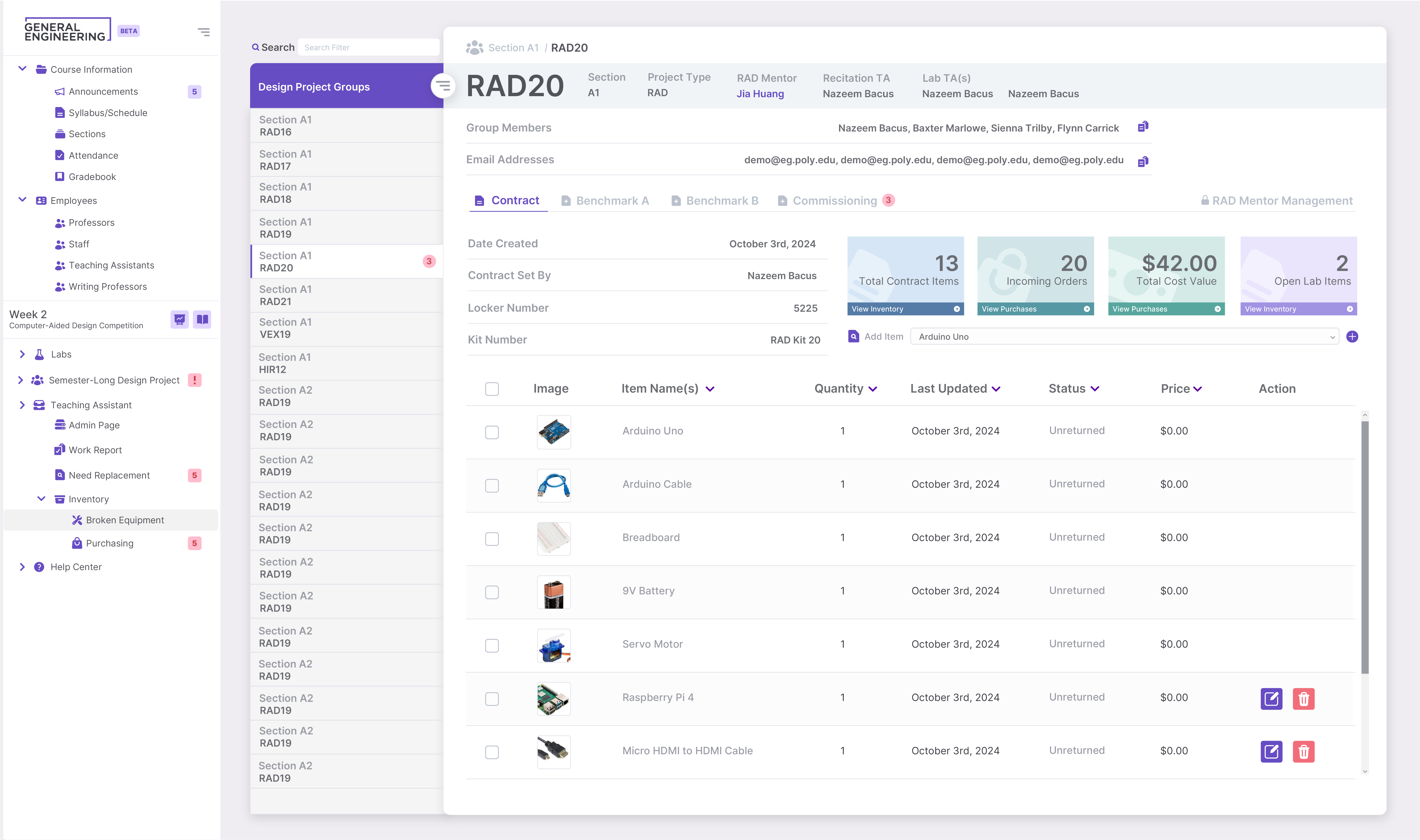
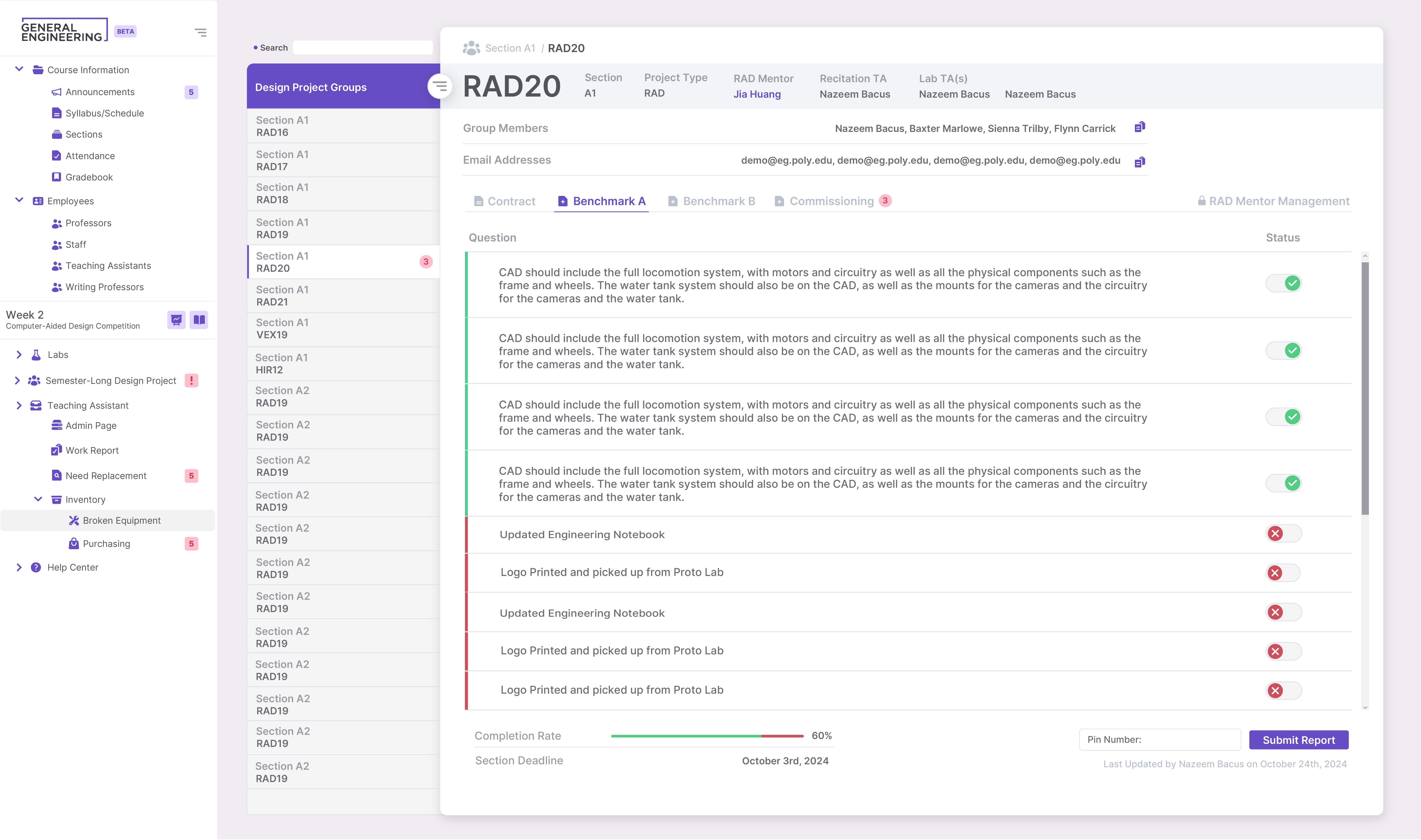
RAD/SLDP Managment
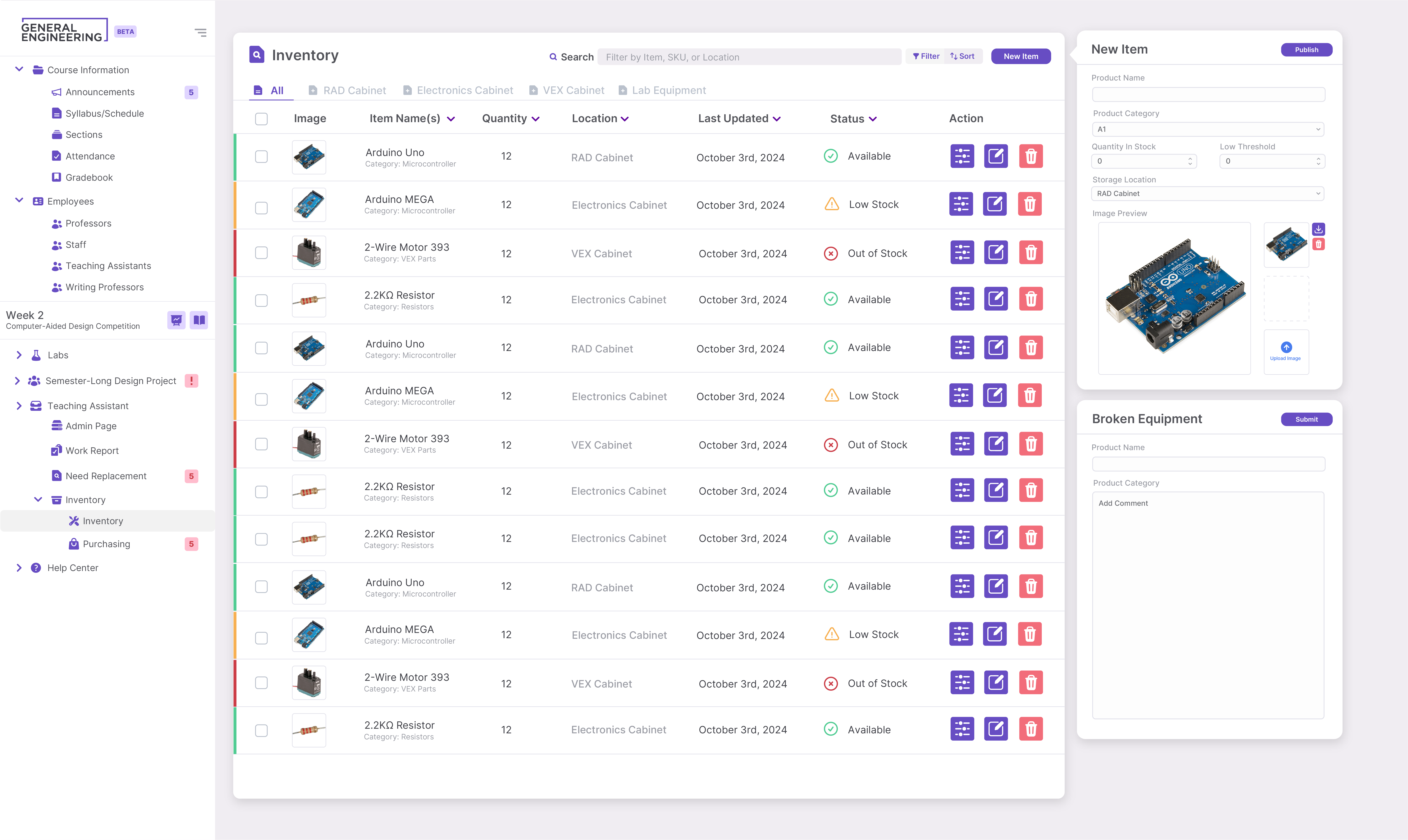
The RAD (Rapid-Assembly Design) Project is one of three student-led semester-long design projects (SLDP). This page is intended to organize information about students' inventory checkouts and project progress. However, the current site requires TAs to navigate multiple pages to gather information, making the process redundant and unclear.
This page was designed to extend into a comprehensive inventory page, allowing TAs to view stock levels and avoid repeatedly adding custom items.
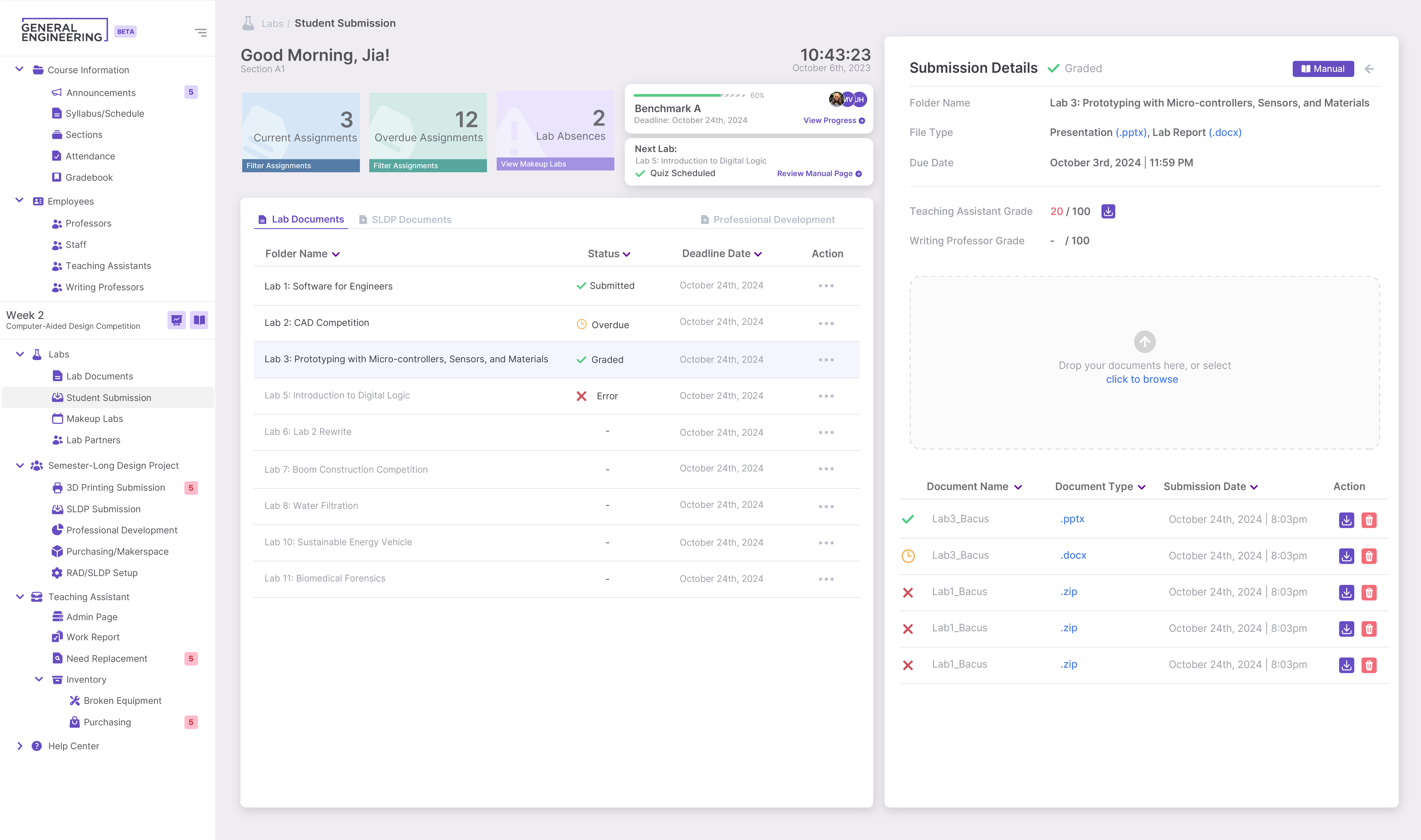
Miscellaneous Interfaces & Supplementary Designs
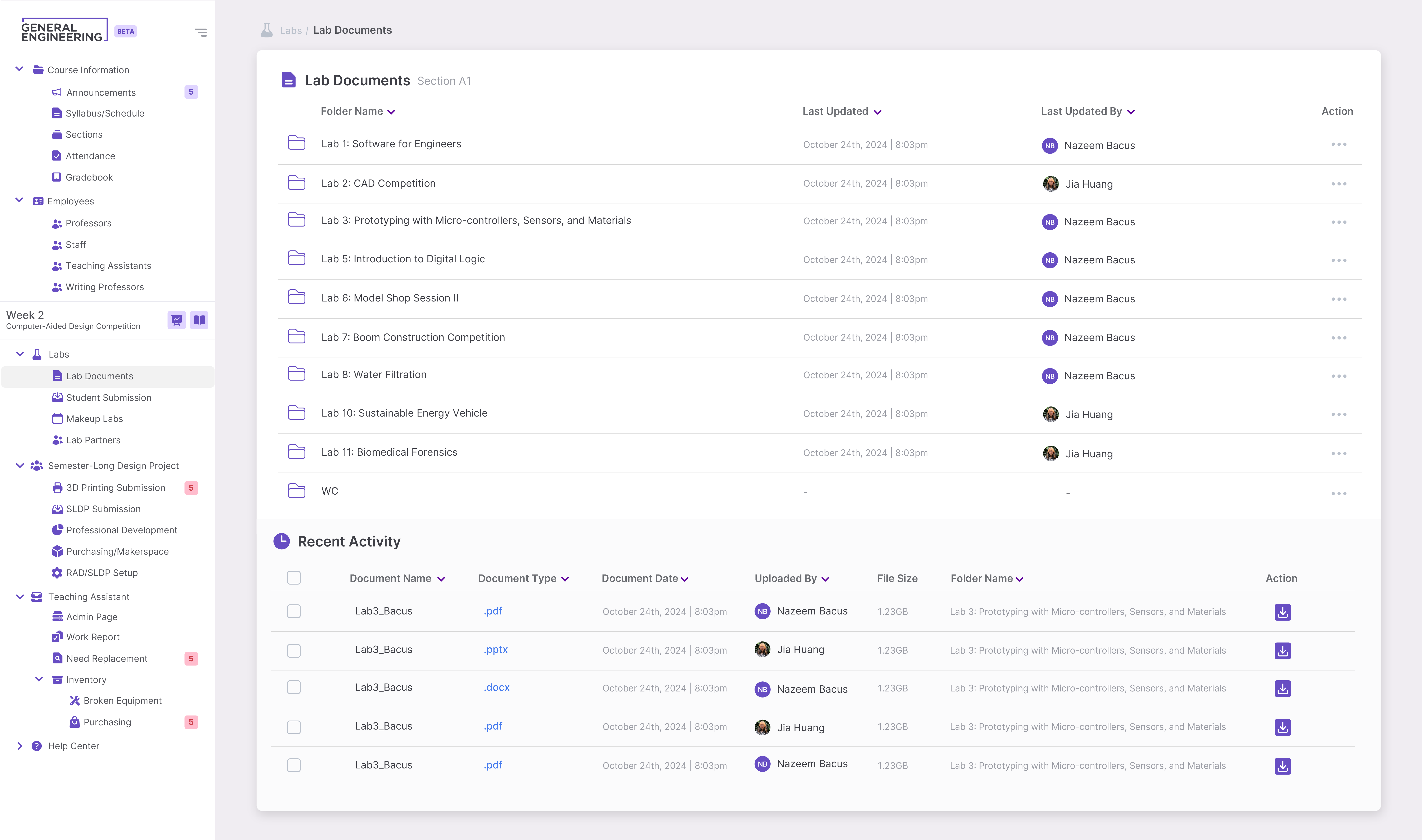
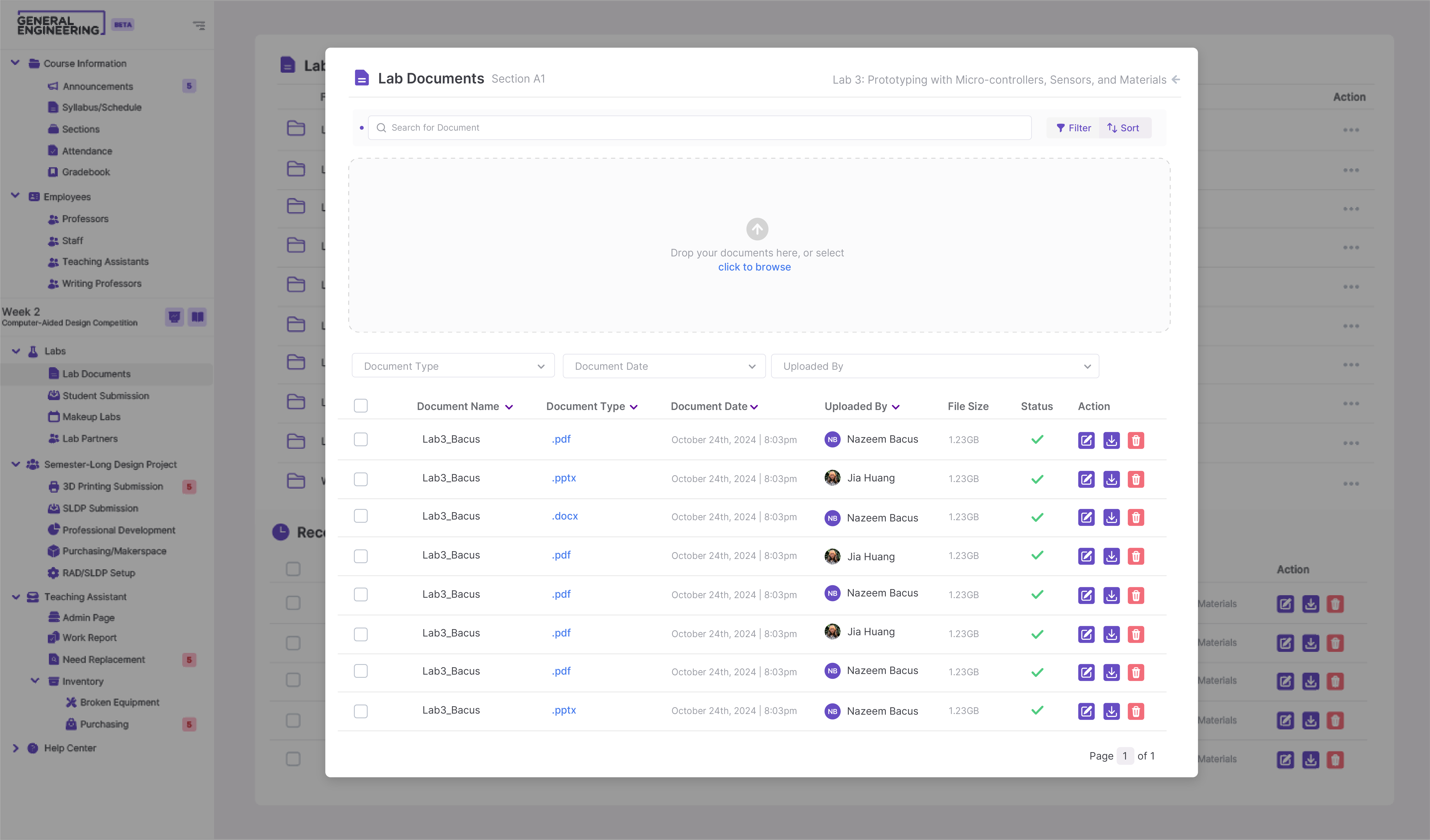
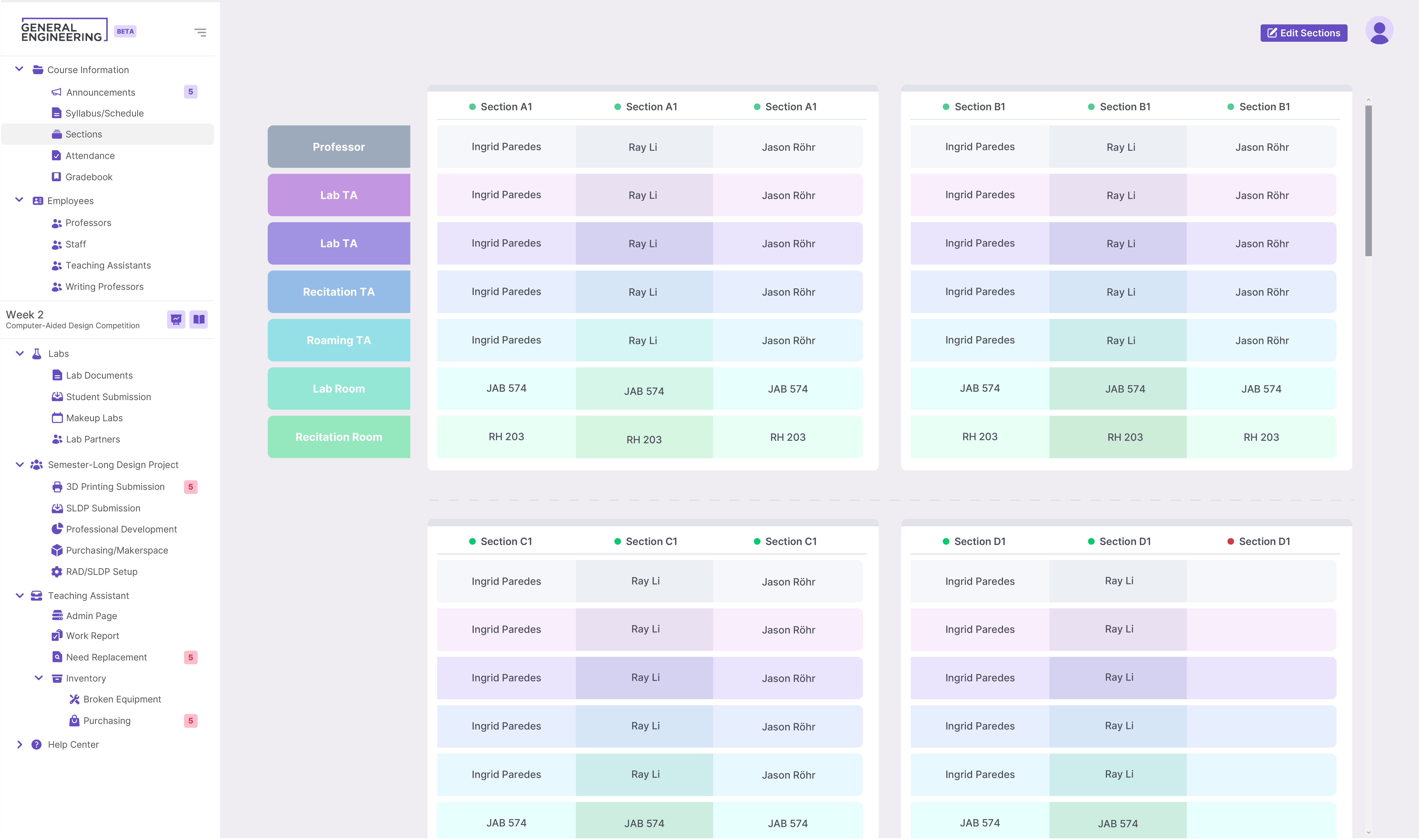
Beyond the primary core features highlighted above, the final presentation to the Web Development Committee included a wide array of supplementary screens and miscellaneous interfaces. While I won't detail each of these individual pages here, they were crucial for establishing a cohesive and unified design system across the entire platform. These additional mockups covered essential but smaller-scale interactions.

04 | FEEDBACK AND CHANGES

Iterative Improvements Based on User Feedback