Context
Introduction
Our Solutions
Flowcharts & Code Snippets
Design Analysis
Feedback & Changes
Back to Top

01 | CONTEXT

The Challenge in Education for Visually Impaired Students
As part of NYU Tandon’s requirements for engineering majors, we were tasked with designing a senior project over the course of a year. The first half of the semester focused on comprehending the design process, including marketing, analysis, and preparation to ensure the product adhered to modern engineering standards and patent regulations. While the second half was dedicated to designing and making our ideas operational with a prototype of the device. Our team chose a project aimed at assisting the blind by improving their integration into the education system, addressing the current lack of inclusivity in educational materials for these students. This led us to gather the following data points:

Only 8% of the approximately 65,518 legally blind students in educational settings use Braille as their primary reading medium

(American Foundation for the Blind, 2018)

Less than 10% of the 1.3 million legally blind individuals in the US read Braille, and 90% of blind children don't learn it

(National Federation of the Blind, 2009)

Only 7.8% of working-age blind people are unemployed, with most employed being Braille readers, indicating Braille's key role in job prospects

Our goal was to create a device to combat the limitations posed by scarce Braille resources and enhance educational accessibility for visually impaired students. This meant our target audience included visually impaired students, their parents, educational institutions, inclusivity organizations, and stakeholders. By making educational content more accessible, we aimed to encourage independent learning and motivation among students with visual impairments, thereby contributing to a more inclusive educational environment.

02 | INTRODUCTION

The education system faces significant challenges in accommodating visually impaired students, particularly due to the scarcity of Braille resources. Recognizing this gap, our senior project at NYU Tandon focused on developing a solution to enhance educational accessibility for these students.
Innovative solutions are necessary to bridge this educational gap and provide equal opportunities for all students.
Our project took two directions. First, we developed a solution involving a cell with dots that pop up to form Braille characters, allowing visually impaired users to interactively read and write. The second solution, developed by me, is the Text-to-Braille Embosser Printer. This device addresses the pressing need for inclusive educational materials by translating current systems into Braille with ease. Current statistics reveal a critical issue: only a small fraction of legally blind students and individuals use Braille as their primary reading medium, significantly impacting their educational and employment opportunities.

03 | OUR SOLUTIONS

Two Approaches to a Single Challenge
Text-to-Braille Embosser Printer
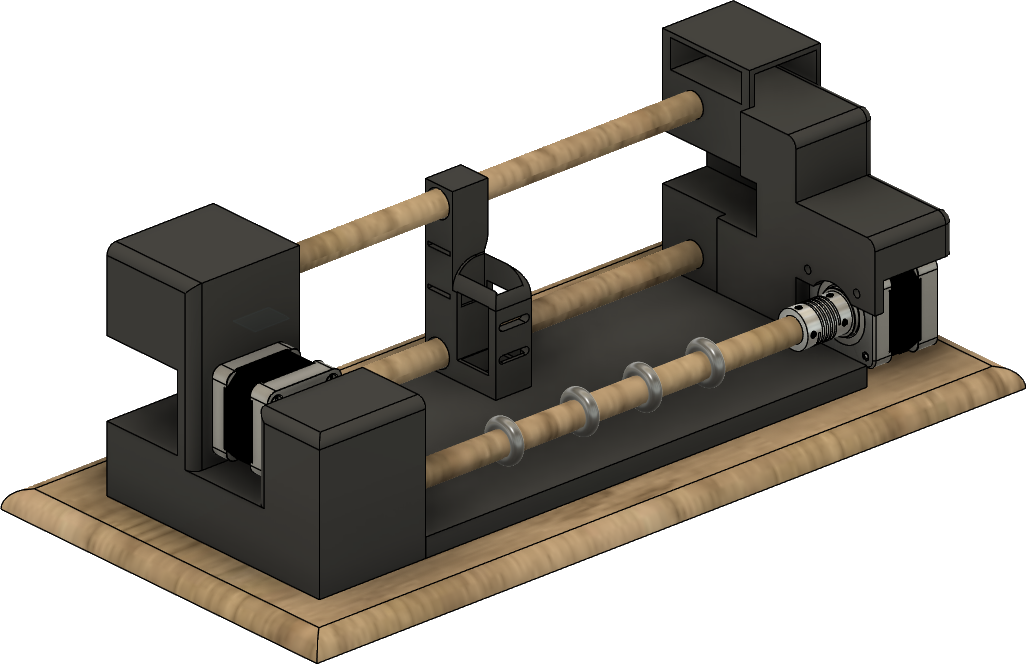
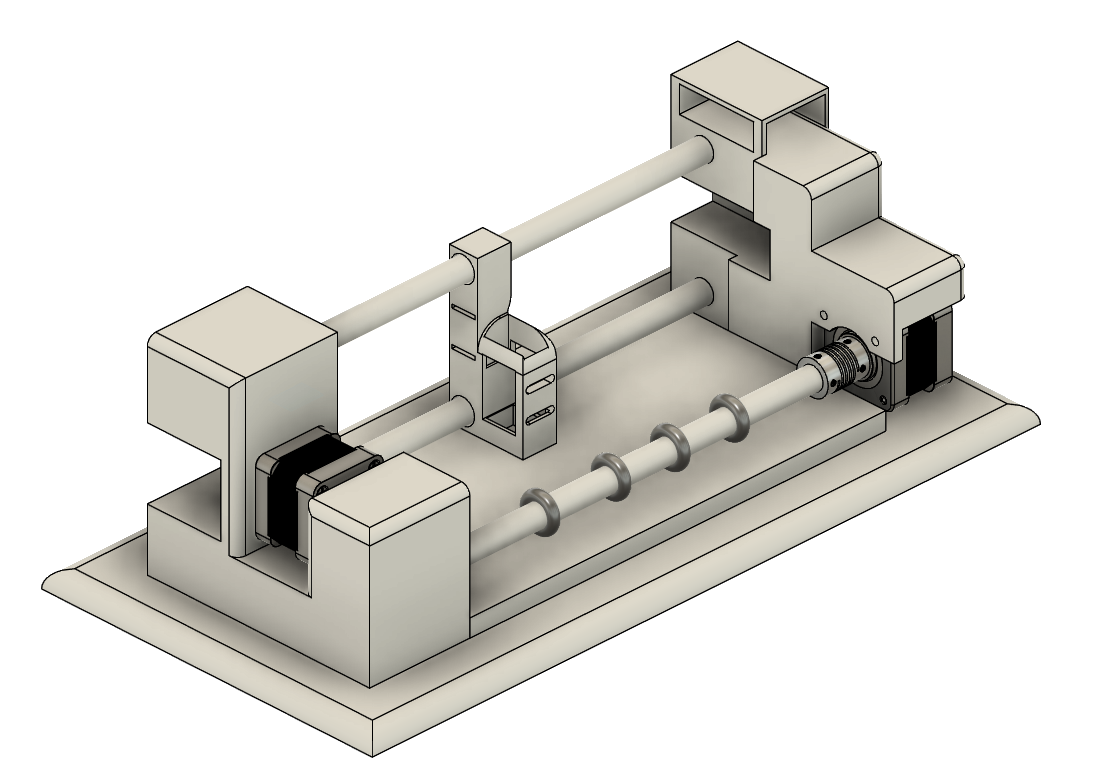
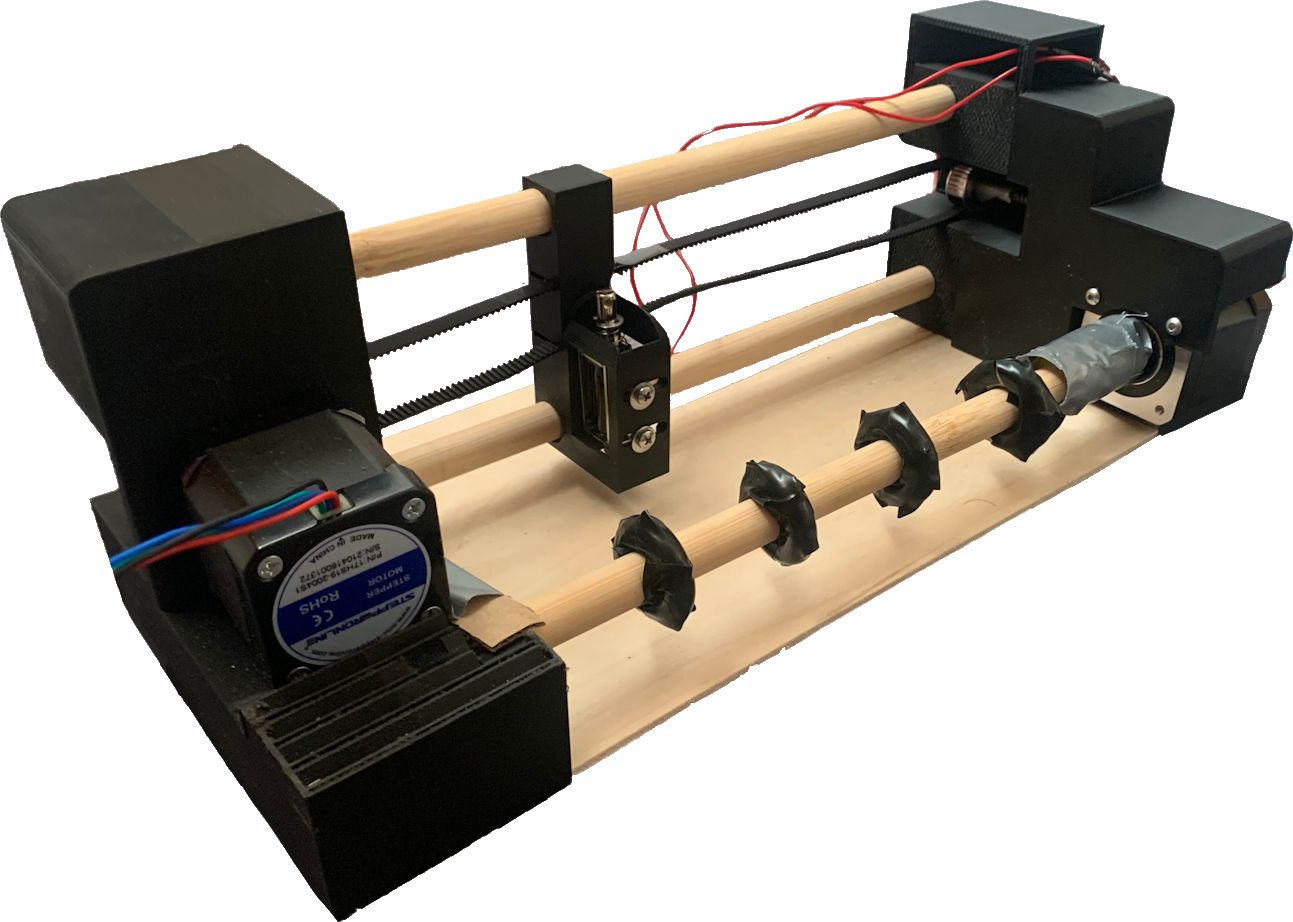
The Text-to-Braille Embosser Printer employs dual stepper motors for its operation. One motor is strategically tasked with the precise advancement of the Braille paper, ensuring each line is perfectly aligned for accurate reading. The other motor operates along a timing belt, meticulously positioning the solenoid for each character. This dual-motor system ensures precise and reliable Braille embossing.
The solenoid, equipped with a specialized embossing tip, responds to encoded text instructions (representing '1' or '0') to create tactile Braille characters throughout the printing process.
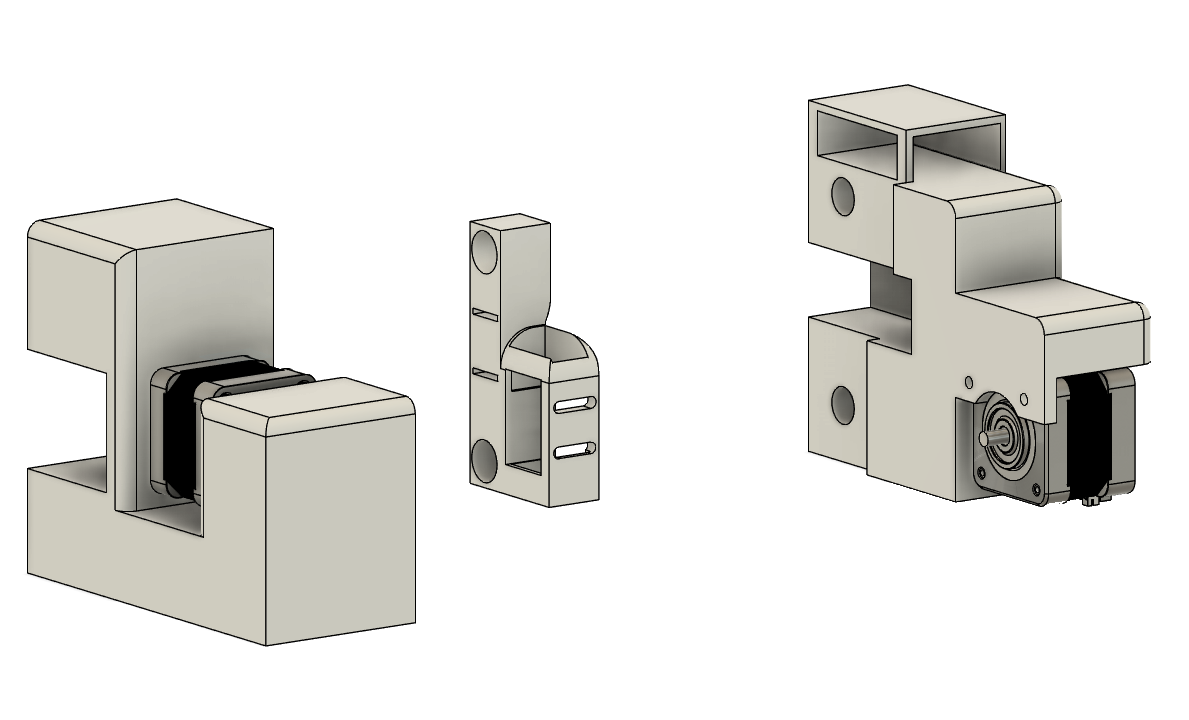
The entire housing is crafted from 3D-printed components and wood pieces, designed with a focus on simplicity and functionality. This casing not only maintains the paper's position but also integrates and protects all mechanical components, ensuring stability and durability during the embossing process.
This page focuses on the development of this solution specifically, which I primarily worked on, while the rest of the team concentrated on the alternative solution.
Braille Display Prototype
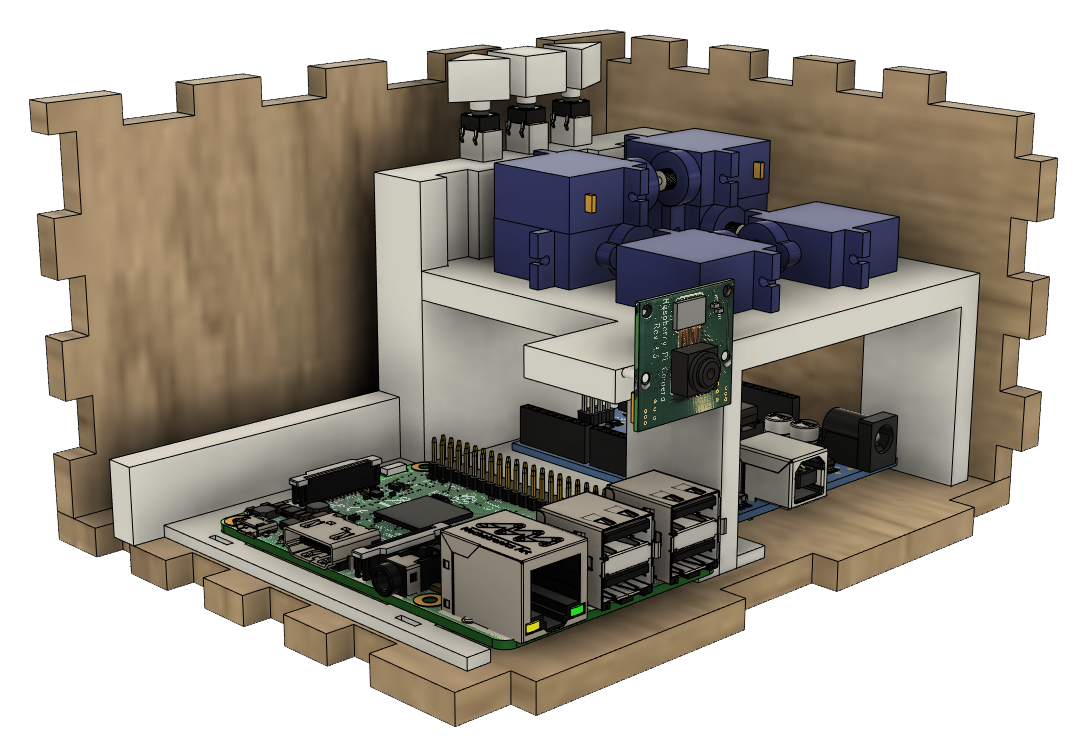
The Braille Display Prototype is a single cell capable of displaying a character on a 2x3 grid, using a combination of automatic and user inputs. It utilizes six servo motors, each representing a dot in the Braille character. When given a sentence, the prototype displays each letter by pushing up the correct dots corresponding to each character through programming done via an Arduino.
The prototype is housed in a laser-cut wood box and features left and right buttons to change the letters.
The code operates by initializing an array of servo patterns for each Braille letter. The user is prompted for input on a computer, and the directional buttons traverse the user input. These buttons actuate specific servo motors to create the Braille letters, with the use of buttons introducing a manual delay between each Braille letter. This setup allows for an effective and interactive way to explore Braille character display.

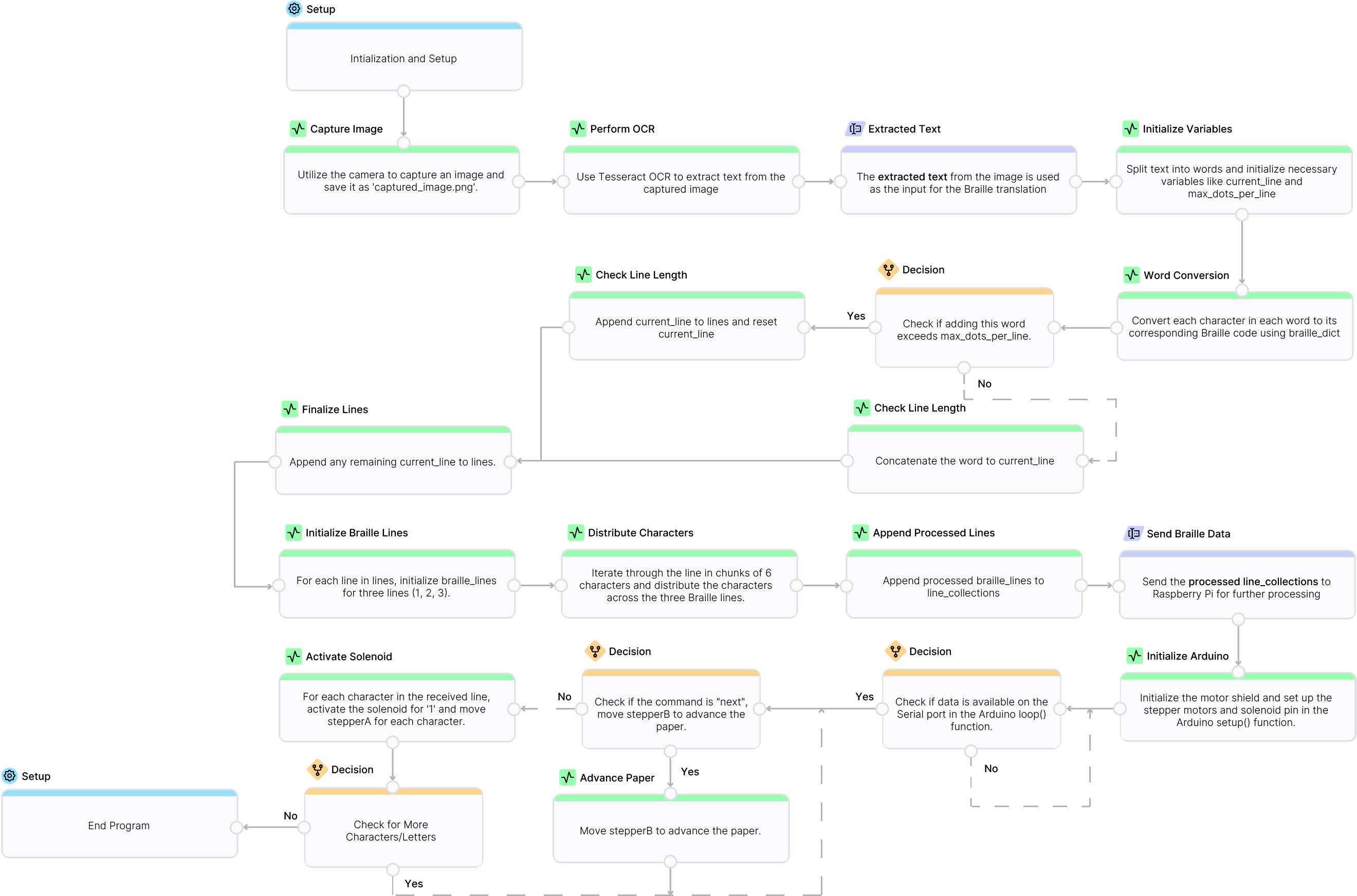
04 | CODE FLOWCHART

05| CODE SNIPPETS

Conversion Process from Text to Braille in Python

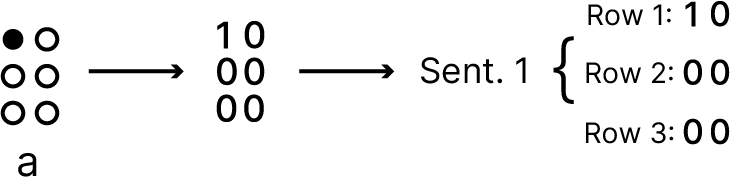
The function wrap_text_to_braille takes a text string and converts it into Braille representation using a dictionary that maps each character to a sequence of Braille dots (represented as '1' and '0'). The process involves splitting the text into words, converting each character in the words to its Braille equivalent, and arranging the Braille characters into lines. Each line is further divided into three rows, corresponding to the top, middle, and bottom parts of the Braille cells. The function ensures that the length of each line does not exceed the maximum allowable dots per line.
Step by Step
Splitting Text into Words: The text is split into words using the split() method.
‍
Character to Braille Conversion: Each character in a word is converted to its Braille equivalent using the braille_dict dictionary. If a character is not found in the dictionary, it defaults to '000000'.

Line Formation: The converted Braille characters are combined to form lines. If adding a new word exceeds the maximum dots per line, a new line is started.
‍
Arranging Braille Lines: Each line is divided into three separate strings representing the top, middle, and bottom rows of the Braille cells.
def wrap_text_to_braille(text, braille_dict, max_chars_per_line):
    words = text.split()
    lines = []
    current_line = ""

    max_dots_per_line = 204  # 34 cells * 6 dots per cell

    for word in words:
        braille_word = ''.join([braille_dict.get(char, '000000') for char in word.lower()])
        if current_line:
            new_length = len(current_line) + len(braille_word) + 2  # 2 for '00' space
            if new_length > max_dots_per_line:
                lines.append(current_line)
                current_line = braille_word
            else:
                current_line += '00' + braille_word
        else:
            current_line = braille_word

    if current_line:
        lines.append(current_line)

    line_collections = []
    for line in lines:
        braille_lines = {1: "", 2: "", 3: ""}
        i = 0
        while i < len(line):
            char_braille = line[i:i+6]
            braille_lines[1] += char_braille[0:2] + ('' if i + 6 >= len(line) else '')
            braille_lines[2] += char_braille[2:4] + ('' if i + 6 >= len(line) else '')
            braille_lines[3] += char_braille[4:6] + ('' if i + 6 >= len(line) else '')
            i += 6
        line_collections.append({1: braille_lines[1].strip(), 2: braille_lines[2].strip(), 3: braille_lines[3].strip()})

    return line_collections

Purpose of the Loop Function in Arduino

The loop function in my Arduino code is designed to continuously check for incoming serial data, process commands to control stepper motors and a solenoid, and execute the necessary actions to emboss Braille dots onto paper based on the received Braille data.
Step by Step
Check for Incoming Data: The function continuously monitors the serial port using Serial.available() > 0 to check if any data is available for processing.
‍
Process "next" Command: If the received command is "next," the function moves stepper motor B forward by 200 steps using stepperB->step(200, FORWARD, SINGLE), advancing the paper for the next line of Braille.

Iterate and Emboss Braille Data: For any other command, which represents a line of Braille data, the function iterates through each character. For each '1', the solenoid is activated to emboss a dot by setting the solenoid pin high (digitalWrite(solenoidPin, HIGH)), holding it for a short period (delay(10)), and then setting it low (digitalWrite(solenoidPin, LOW)).
‍
Move Stepper Motor A: After processing each character, the function moves stepper motor A one step forward to position for the next Braille cell using stepperA->step(1, FORWARD, SINGLE).
void loop() {
  if (Serial.available() > 0) {  // Check for incoming data
    String line = Serial.readStringUntil('\n');  // Read command line

    if (line == "next") {  // Process "next" command
      stepperB->step(200, FORWARD, SINGLE);  // Advance the paper
    } else {  // Process Braille data
      for (unsigned int i = 0; i < line.length(); i++) {  // Iterate through each character
        if (line[i] == '1') {  // Activate solenoid for '1'
          digitalWrite(solenoidPin, HIGH);  // Activate solenoid
          delay(10);  // Hold for a short period
          digitalWrite(solenoidPin, LOW);  // Deactivate solenoid
        }
        stepperA->step(1, FORWARD, SINGLE);  // Move to next Braille cell
      }
    }
  }
}

06 | DESIGN ANALYSIS

Design and Development Strategy
From Concept to Creation
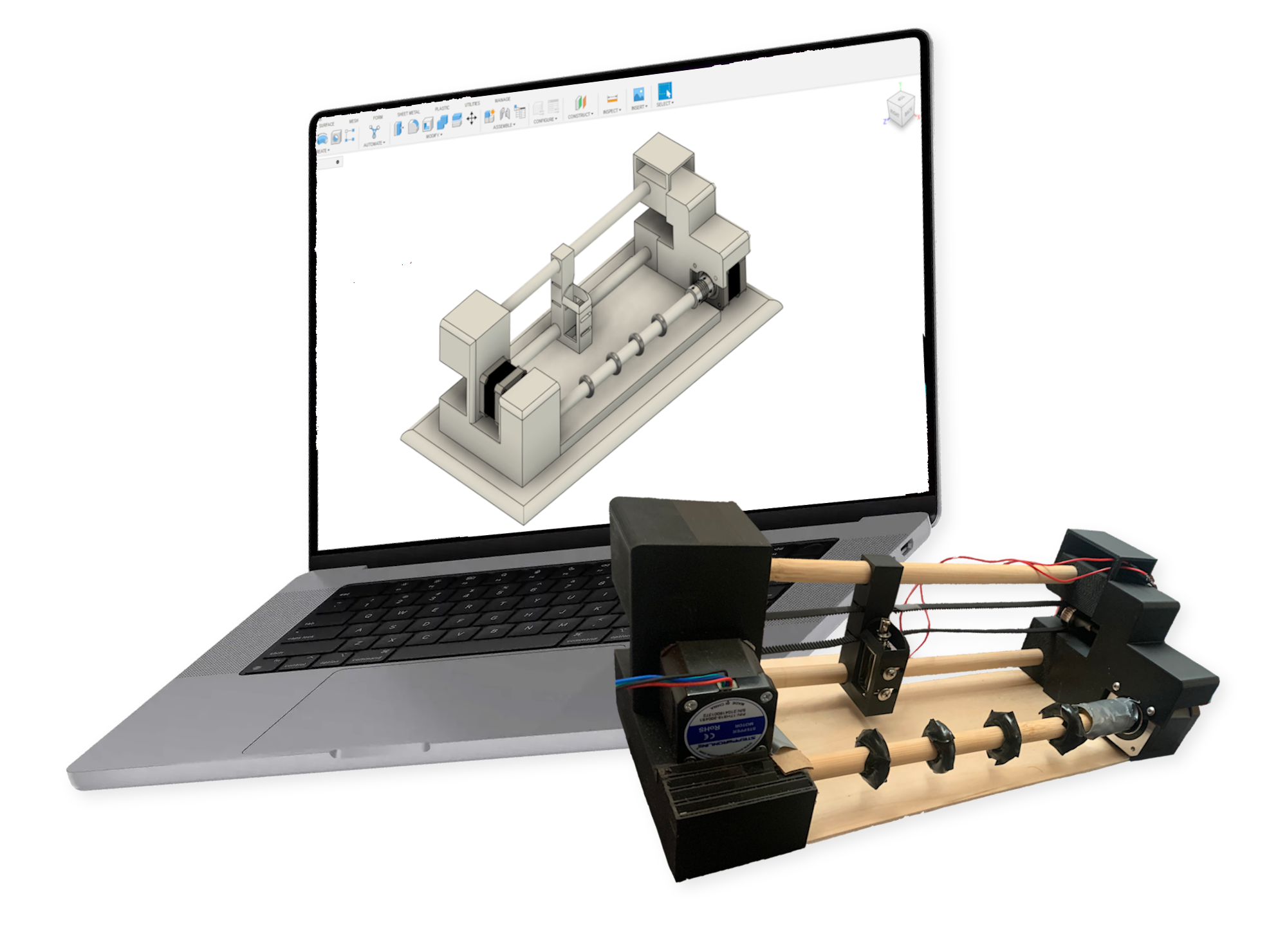
The journey from concept to creation began with a simple idea: "Instead of a cell, what if we could automatically print Braille from a photo in seconds?" This concept aimed to address the need for cost-effective Braille implementation in educational settings. I started by sketching the design on paper and then used Fusion 360 to create a detailed CAD model.
Ensuring all components fit properly required precise measurements and adaptability to available materials, as resources were limited.
From the CAD design, several steps were necessary to ensure that all components fit properly. This involved precise measurements of every aspect of the design. Initially, I planned to use steel rods for movement, but due to availability, I substituted them with wood dowels. Despite this adjustment, the wood dowels performed equally efficiently.
Design Refinements and Observations
Effective Timing Belt Mechanism: The design utilized a timing belt to move the solenoid, which embosses the dots back and forth. This worked perfectly, as the stepper motor connected to a timing belt idler fit snugly on the motor, ensuring smooth and accurate movement of the embossing device.
Efficient Embossing Process: Despite its unconventional appearance, the printer is efficient and quickly embosses pieces of paper. This efficiency highlights its potential as a practical tool for producing Braille text.
Physical Alterations Required: Some physical modifications were needed for the 3D-printed models after completion. Certain components, such as the adapter used to connect the pole to the stepper motor, did not work as intended. Additionally, properly fitting the stepper motor into place required adjustments.
Challenges with Paper Advancement Wheels: Initially, the 3D-printed wheels designed to move the paper forward did not turn properly, even after sanding. To address this, rubber was applied using electrical tape, which improved the traction and movement of the wheels. Rubber would probably be the best choice moving forward as it enhances grip, reducing slippage and ensuring consistent paper advancement alongside the stepper motor.
Unconventional Appearance: The device does not immediately resemble a traditional printer, which may cause confusion. While it is efficient, it lacks a proper paper insertion method, towards completion I had an idea for a future tray system similar to regular printers to streamline the paper loading process.

07 | FEEDBACK AND CHANGES

Iterative Improvements Based on User Feedback